
How to Turn a Photo into a C2C or Graphgan Crochet Pattern
A pet, a logo, a favourite place: any picture can become a crochet blanket. Our photo to C2C and graphgan pattern maker turns it into a chart with a colour key and every row written out, for free. The photo stays on your device: your browser makes the chart and nothing is uploaded.
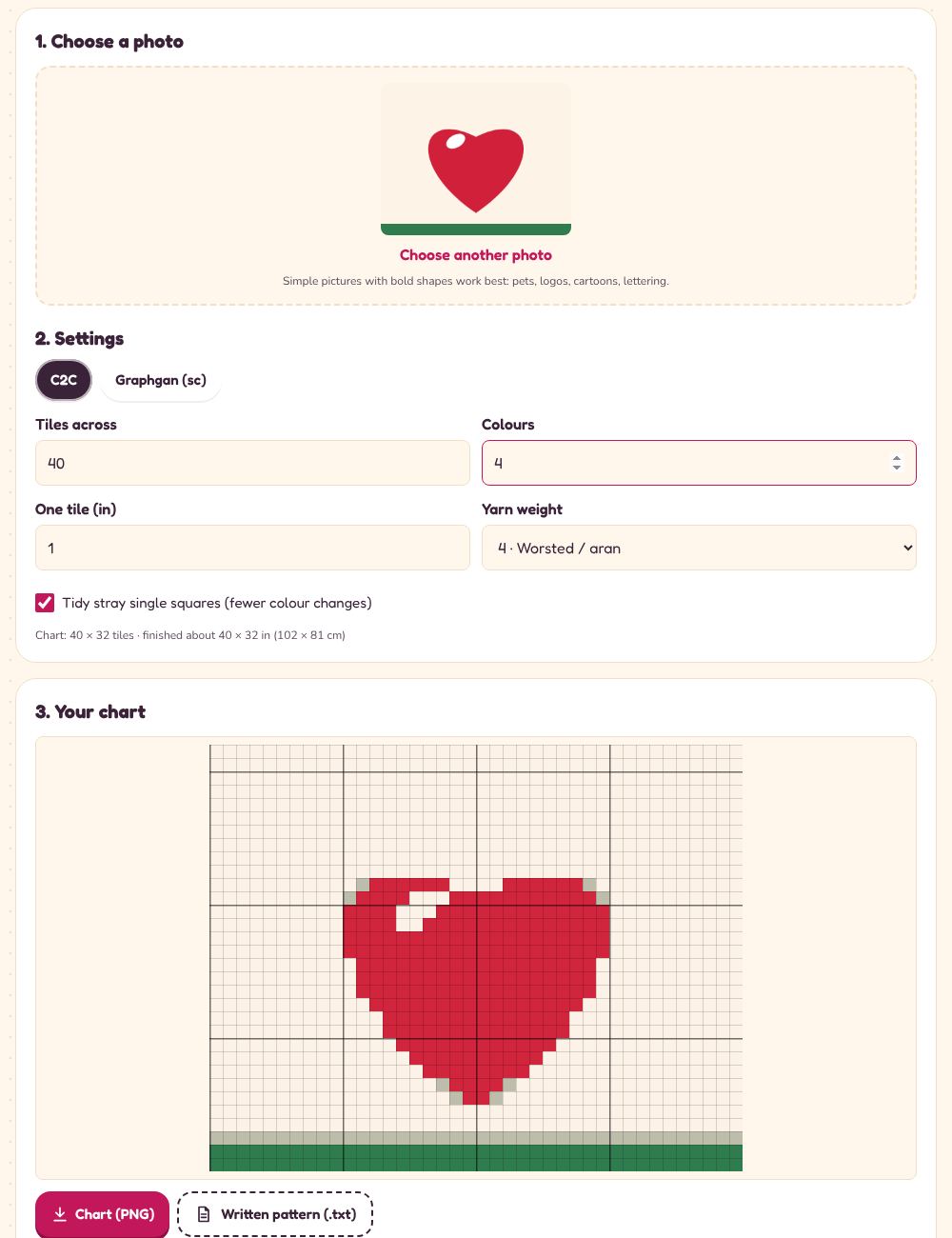
Step by step
- Choose a photo. Bold, simple pictures work best. Crop busy backgrounds first if you can.
- Choose C2C or graphgan. C2C is quicker; a graphgan (rows of single crochet) shows finer detail.
- Choose the size. More tiles across means more detail and a bigger blanket; 60–100 is plenty for most pictures.
- Choose the colours. Every colour is another yarn; 5–10 usually look best. Turn on “Tidy stray squares” to remove lone dots.
- Download the chart as a picture and the written pattern as a text file.
Reading the written rows
For C2C, start at the bottom-right corner. Odd rows are read from the bottom end of the diagonal up, even rows from the top down. “Row 12: 3 A, 2 B, 7 A” means 3 tiles of colour A, 2 of B, then 7 of A.
Planning the blanket's size? The C2C blanket calculator shows how many tiles fit a throw or a bed.
Ready to try it? it’s free
Open the photo to c2c chartMore crochet guides
- Crochet Hat Sizes: A Chart from Baby to Adult
- Crochet Hook Sizes: mm, US Letters and UK Sizes
- How Many Granny Squares Do I Need for a Blanket?
- How Much Yarn Do I Need for a Crochet Blanket?
- How to Check Crochet Gauge (and Fix It)
- How to Crochet a Flat Circle (and an Amigurumi Ball)
- How to Increase or Decrease Evenly in Crochet
- How to Plan a C2C Crochet Blanket: Tiles, Rows and Yarn
- US vs UK Crochet Terms: The Complete Conversion Guide
- What Should I Crochet Next? A Random Pattern Picker
- Yarn Weights Explained: DK, Worsted, Aran, Chunky and More